AI format conversion and dubbing: repurpose long videos into platform-native shorts
Turn long-form video into vertical, square, or landscape shorts using AI format conversion, soundtrack-swap, and PlayVideo.AI AI Voices for fast, native-sounding dubbing.
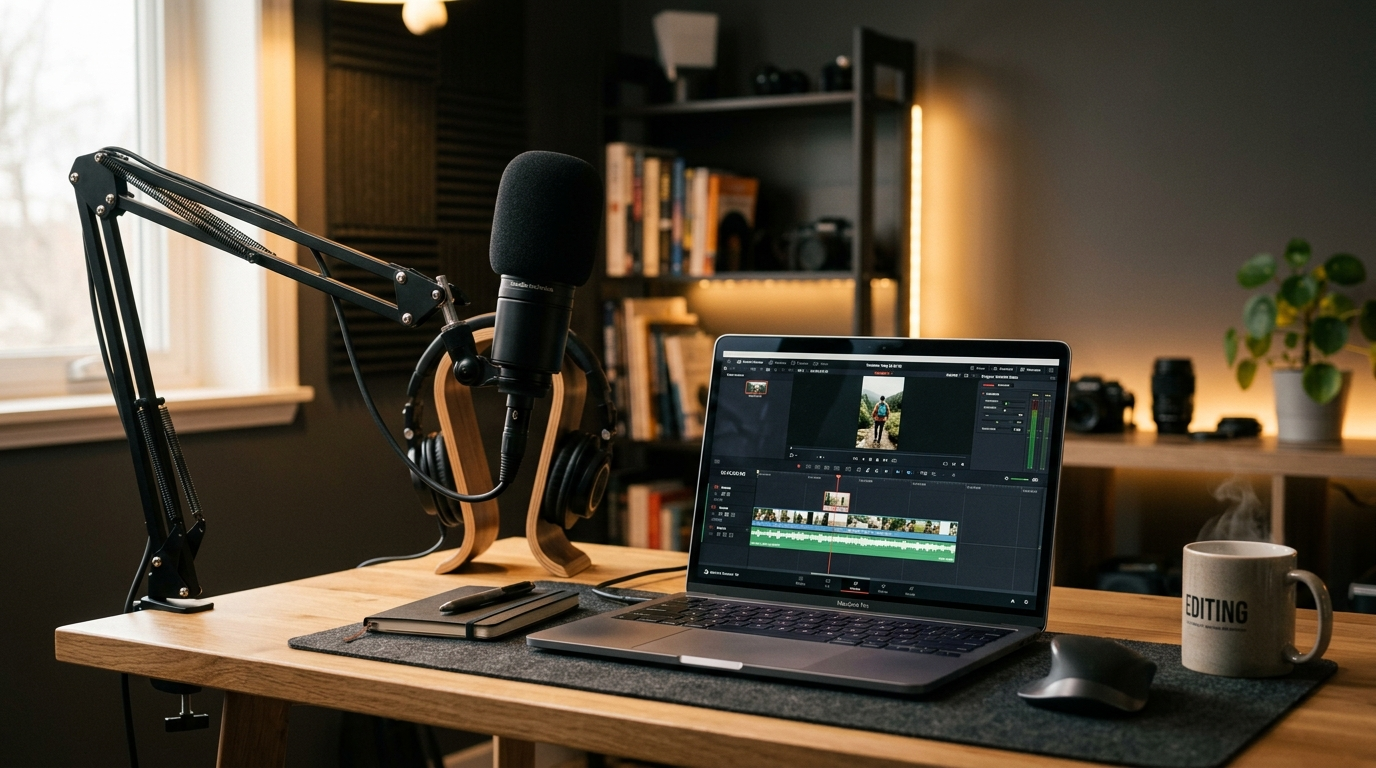
Picture a 12-minute YouTube essay you've just finished — thoughtful pacing, a tidy script, and five minutes of quotable moments — sitting on desktop views while your audience spends time on 9:16 and 1:1 feeds. Converting that long-form piece into platform-native shorts isn't an optional extra anymore; it's how you keep the same ideas alive across TikTok, Reels, and Shorts. This guide shows practical workflows for AI format conversion and dubbing that preserve framing, motion, and the speaker’s vibe while scaling narration and localization. We'll lean on PlayVideo.AI AI Voices early and often: cloning your voice or using a polished stock voice removes the bottleneck of re-recording and makes multilingual revoices repeatable.
You’ll learn what smart-reframe and soundtrack-swap tools actually change (and their limits), follow step-by-step checklists to turn a 16:9 essay into crisp 9:16 shorts, and get a concrete revoice walkthrough to produce Spanish and French versions with cloned or stock voices. Best-practice audio techniques and the legal safeguards you must adopt round out the guide. If you repurpose content regularly, this article gives the checklists and the PlayVideo.AI feature that will make the process fast and reliable.
Why repurposing long-form video across vertical, square, and landscape formats is non-negotiable in 2026
Audience attention is fragmented across formats. A single long-form asset can and should live as a 16:9 YouTube upload, a 1:1 Instagram post, and multiple 9:16 clips for TikTok or Shorts. Platforms favor native-format content: feeds and recommendation engines respond better to videos that match the expected aspect ratio and framing. This matters because native-format clips get higher view-through rates and better placement in short-form discovery.
Practically, creators who repurpose gain reach without reshooting. Modern auto-reframe and smart-crop tools let you extract punchy moments while preserving faces and action. They track subjects and recompose shots so the focal point stays visible when you move from 16:9 to 9:16 or 1:1. That capability is essential for creators who want to publish the same core message across platforms without making platform-specific shoots.
Beyond framing, multilingual audiences require localized audio. Nearly half (46%) of creative producers reported using AI-based tools in voice and voice-over workflows (Voices.com 2024 Audio Trends Report), which shows how common these tools have become for scaling narration and dubs. That’s where a reliable voice solution matters: PlayVideo.AI AI Voices lets you clone your voice from a short sample or pick a stock voice for narration and dubbing, so you can create native-sounding shorts in multiple languages without re-recording every line.
The conclusion is simple: repurposing is not a marginal optimization — it’s core to distribution strategy. If your process requires manual re-records, expensive studio time, or awkward edits to fit square or vertical frames, you’re leaving reach on the table. Combining smart reframe tools with voice cloning and AI dubbing turns one long video into many native assets with consistent tone and brand voice.
How AI reframing, smart-cropping, and soundtrack-swap tools work (what they change and what they can’t)
AI reframing and smart-cropping use subject detection, motion tracking, and sometimes generative pixel-fill to convert aspect ratios. At a basic level, auto-reframe systems identify faces and primary subjects and then crop the original frame dynamically so the important action stays in view when you export 9:16 or 1:1. Advanced models go further: pixel-fill or background synthesis can extend or reconstruct off-frame content so the composition feels natural after conversion. These techniques let you convert a 16:9 landscape shot into a vertical 9:16 clip while preserving apparent motion and background continuity.
Soundtrack-swap tools operate at a different layer. They separate stems (dialogue, music, ambiance) or estimate them and allow you to drop in new music tracks or rebalanced mixes tuned for the new format. When you change aspect ratio and pace — trimming a long-form section to a 20–30 second hook — you often need to retime the music, reduce reverb, or compress dialogue differently. Good soundtrack-swap systems handle stem import, tempo matching, and loudness normalization so your short feels punchy in feed environments.
What these systems can’t magically do: fix poor original audio, replace a missing reaction shot, or create perfect lip-sync for translated dialogue without a proper dubbing pipeline. Auto-reframe cannot replace thoughtful shot selection: sometimes the right answer is to reshoot or to assemble multiple angles. Dubbing and voice cloning remove the need to re-record, but they require clean input samples and quality checks to avoid artifacts. This is why a combined workflow matters: use smart reframe to extract the visual core, soundtrack-swap to adapt the sonic energy, and PlayVideo.AI AI Voices to produce consistent, native-sounding narration and dubs that sync to the edit.
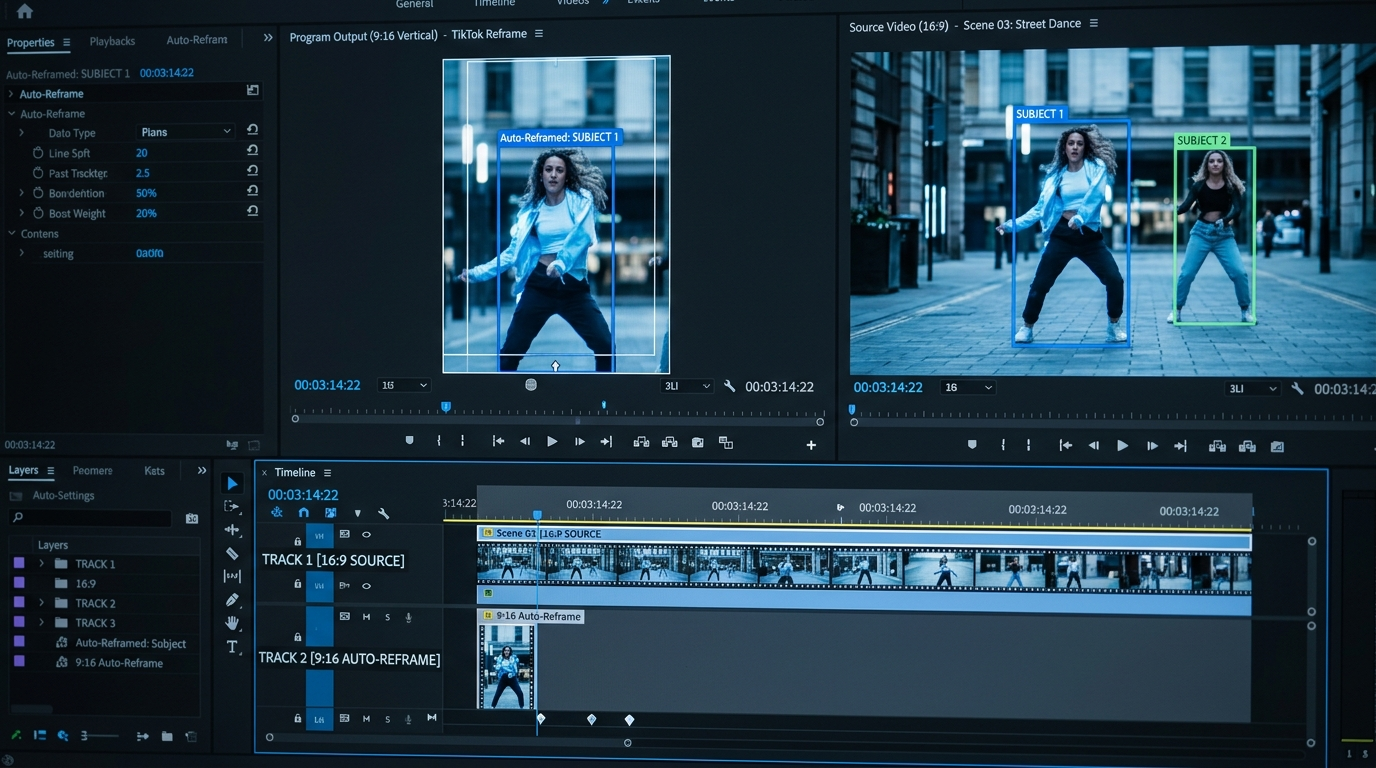
Hands-on: Converting a 16:9 YouTube essay into a native 9:16 short — step-by-step visual + audio checklist
This checklist turns a single quotable moment from a 12-minute essay into a 20–30 second vertical short ready for TikTok or Reels.
Visual checklist
- Identify the hook (0–30s timestamp): pick a self-contained idea or punchline that works out of context. Keep clips 20–30 seconds for best distribution.
- Auto-reframe or smart-crop: enable subject tracking so faces remain centered during motion. If your tool supports pixel-fill background synthesis, toggle it for shots with motion across the frame.
- Tighten the edit: cut to the performer’s eyes or head on beats and remove long pauses. Add a two-frame crossfade between jump cuts if motion is jarring.
- Consider cutaways: if the speaker looks off-camera during an important line, add a quick reaction or b-roll to maintain flow.
Audio checklist
- Isolate dialogue: separate vocals from room tone and music. If you have stems, import them. If not, use a dialogue-isolation model to reduce music bleed.
- Normalization and loudness: target platform LUFS (around -14 LUFS for many short-form platforms) and peak below platform limits to avoid automatic attenuation.
- Swap or adapt music: pick a shorter, punchier loop; use tempo matching so the music matches the cut. If you swap music entirely, ensure the new track’s key and mood match the segment.
- Apply final compression: light bus compression and a de-esser on dialogue to sit above the track without sounding processed.
Quick worked example using PlayVideo.AI features
- Upload the 16:9 master to the editor and choose Auto Reframe (or equivalent) to export a 9:16 sequence with subject tracking engaged.
- From the export options, enable pixel-fill background synthesis only on shots with visible framing gaps.
- Extract dialogue and run normalization. If you need new narration, open PlayVideo.AI AI Voices, clone a short sample of your voice (or pick a stock voice) and generate the 20–30 second narration. Export TTS audio in the same sample rate.
- Replace the original dialogue stem with the generated audio, then use the lipsync feature from the AI Video Effects panel to tighten mouth-sync on short-form shots if necessary.
- Add an AI Music Generator track from /create-music or swap in a library loop, then mix with the dialogue using gentle compression and the target LUFS.
This step-by-step keeps the edit fast and repeatable. Use auto-reframe to preserve the visual point-of-view, and use PlayVideo.AI AI Voices to avoid rehiring voice talent or rebooking studio time.
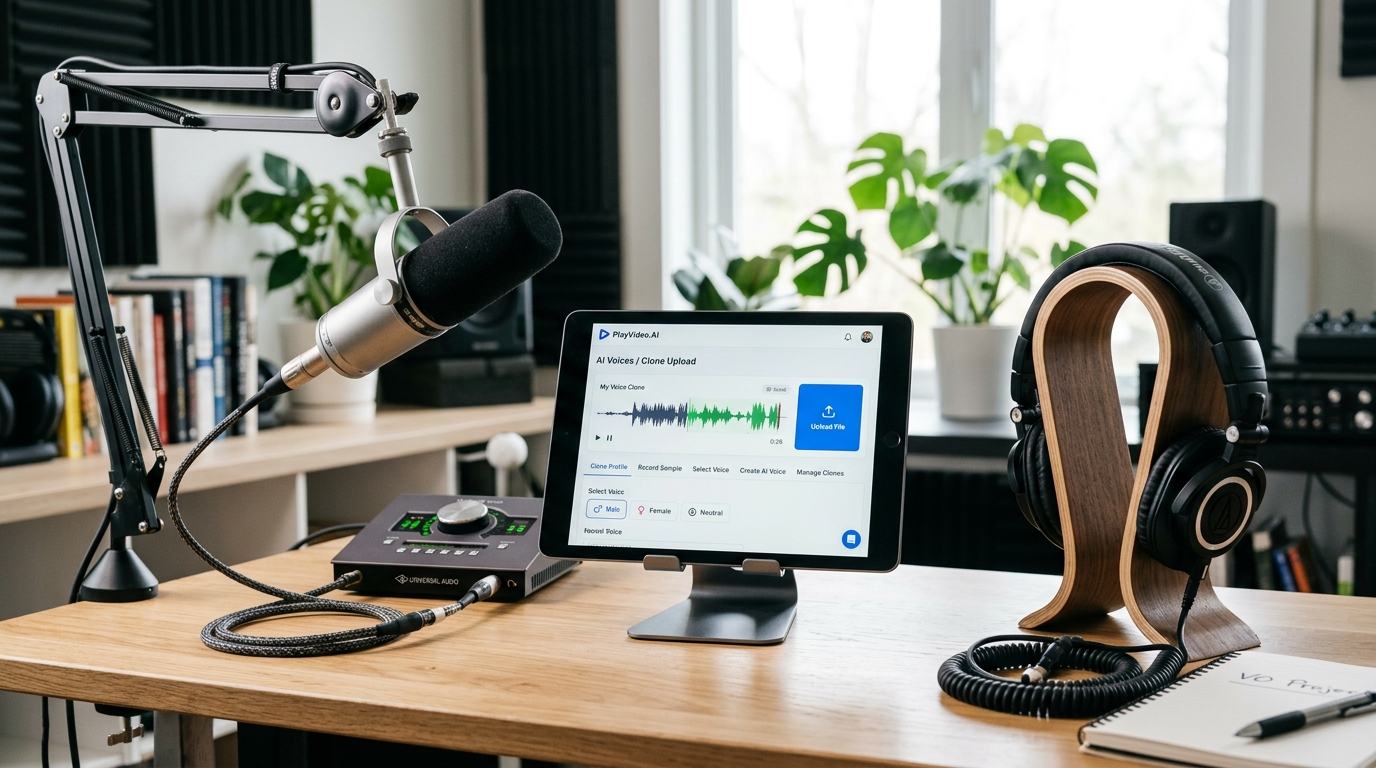
Hands-on: Dubbing and revoicing a short for Spanish and French audiences using cloned or stock AI voices
Dubbing a short into Spanish and French should preserve tone, timing, and the speaker’s personality. PlayVideo.AI AI Voices supports cloning your voice from a short sample and generating dubs that keep the speaker’s vibe, making this process scalable.
Pre-flight
- Prepare a clean vocal sample: record 2–3 minutes of varied speech if you plan to clone your voice; shorter samples can work but may reduce nuance.
- Export the short’s final edit and lock the picture — timing matters for lip-sync and pacing.
- Translate the script with attention to syllable count and emphasis. A direct translation often produces mismatched mouth movements, so aim for natural phrasing rather than literal word-for-word renderings.
Dubbing workflow
- Clone or select a voice: open PlayVideo.AI AI Voices and upload your clean sample to create a clone, or choose an appropriate stock voice that matches the original tone.
- Generate the dubbed narration: input the translated script for Spanish and then for French. Use the dubbing option so the system outputs voice files matched to the target language.
- Time alignment and lipsync: import the generated audio into your timeline. Use PlayVideo.AI’s lipsync effects (or the lipsync feature in AI Video Effects) to adjust mouth movements when needed; for short-form clips this usually involves micro-shifts and occasional phoneme-level tweaks.
- Replace original dialogue and mix: lower any original vocal bleed, place the dubbed track, and apply the same loudness target as the original language. Multilingual tracks should use consistent processing so the brand voice feels uniform across languages.
Worked example — Spanish dub using a cloned voice
- Record a 2.5-minute varied sample of your voice and create a clone in PlayVideo.AI AI Voices.
- Paste the Spanish translation into the dubbing box and request a narration generation tuned to the cloned voice.
- Export the Spanish audio, import into the 9:16 timeline, and run lipsync adjustments for the opening 3 seconds where the speaker’s mouth is most visible.
- Normalize to -14 LUFS and apply a subtle reverb preset that matches the room tone of the original shot.
Why cloning helps
Cloning reduces friction: you no longer need to hire a voice actor for minor rewrites or minute-long variants. Cloned voices let you keep the same speaker identity across languages, which preserves brand trust. As the Dubbing Journal and market reports note, voice-cloning quality varies by sample length and use case; for narration and e-learning, 2–3 minutes of varied speech produces the best results. That’s a practical target for creators who want high-quality multilingual output without a large budget. For more on generating supporting music tracks, consider using PlayVideo.AI’s AI Music Generator to make custom, copyright-free background loops (/create-music).

Best practices for audio: mixing dialogue, swapping music, and avoiding artifacts when you change aspect ratio or language
Changing aspect ratio and language can introduce audio issues that reduce perceived quality. Follow these practical rules to minimize artifacts and keep your shorts sounding professional.
Keep dialogue clean
- Start with the best possible vocal: if the original recording has heavy room reflections or background music, run a dedicated dialogue-isolation pass before cloning or revoicing.
- Use consistent EQ across versions: match low-end roll-off and presence boosts so different language tracks sit similarly in the mix.
Prevent artifacts from synthesis
- Listen for sibilance and unnatural breaths in cloned voices. Use a de-esser and automate breath reduction manually where the model inserts odd pauses.
- Run A/B checks against the original: compare the cloned or stock voice to the source at the same LUFS to flag unnatural timbre or timing issues.
Music and soundtrack swaps
- Tempo and key: retime or pitch-shift music so it complements the shorter edit. If you use the AI Music Generator to create a custom loop, export stems (if available) to control the instrumental balance.
- Ducking and sidechain: use automatic ducking so dialogue remains intelligible in noisy feeds. Short-form platforms often downmix audio during encoding — keep critical frequencies (1–4 kHz) clean for clarity.
Localization timing
- Aim for parity in read time: translated lines should approximate the original runtime to preserve visual edit points. If the translation runs long, shorten lines or adjust cuts to maintain energy.
- Micro-edits: small picture trims (30–60 ms) can fix lip-sync mismatches after inserting a dubbed track without changing visual flow.
Toolchain tips
- Keep master files: save stems and the cloned-voice project so you can regenerate alternate versions quickly after copy edits.
- Use PlayVideo.AI AI Voices because outputs sync directly with PlayVideo.AI’s lipsync effects and because voice cloning works from a short, clean sample—these features speed iteration across language versions. When you need fresh visual assets, /create-image can produce thumbnails or overlays that match each platform’s style.
Ethics, consent, and legal guardrails for voice cloning and AI-driven dubbing — safeguards creators should follow
Voice cloning and AI dubbing lower the friction of localization, but they also raise real ethical and legal concerns. Creators should adopt explicit consent and provenance practices before cloning or publishing any recreated voice.
Obtain explicit consent
- Document consent in writing: if you plan to clone another person’s voice, obtain clear, time-stamped written consent that outlines the intended uses.
- Record consent metadata: include the consent file or a signed waiver with your project assets so future audits are straightforward.
Label synthetic audio
- Disclose when voice cloning is used, especially in public-facing content or educational materials. Watermarking or metadata flags can help platforms and viewers distinguish synthetic audio from original recordings.
Security and misuse prevention
- Restrict cloned voice access: only team members who need the cloned voice should have project access. Keep a log of exports and usage.
- Use watermarking and audible signatures when distributing clones outside closed channels.
Follow best-practice guidance
- Consumer-safety groups recommend mechanisms to confirm consent and safeguards for voice products. Adopting explicit consent flows and technical markers (watermarks or metadata) reduces the risk of misuse and aligns with evolving guidance from watchdogs.
Legal and platform policies
- Check local laws and platform policies before publishing cloned voices or dubs; regulations and policies vary by country and by platform. When in doubt, disclose and secure consent.
These safeguards protect creators and audiences while allowing responsible use of cloning tools like PlayVideo.AI AI Voices. Building ethical practices into your workflow preserves trust and reduces legal risk as you scale multilingual shorts.
Frequently Asked Questions
How long a sample do I need to clone my voice accurately?
For narration-quality clones, aim for 2–3 minutes of varied speech; shorter samples can work but may lose nuance.
Will AI reframe tools always preserve motion perfectly?
No — smart-crop and pixel-fill help preserve subjects and background continuity, but rapid multi-subject motion or missing reaction shots may still need manual edits or alternate angles.
Do cloned voices require special labeling?
Yes — you should disclose synthetic audio and keep consent records; adding metadata or watermarks is recommended to prevent misuse.
Conclusion
Repurposing long-form videos into platform-native shorts is a workflow challenge that collapses when you combine smart visual tools with reliable voice tech. Auto-reframe and soundtrack-swap tools solve the visual and musical side, but scaling narration and localization securely depends on a voice solution that matches your brand tone and syncs to the edit. PlayVideo.AI AI Voices lets you clone your voice from a short sample or pick a stock voice, generate multilingual dubs, and output audio that works with PlayVideo.AI’s lipsync effects—so you can ship native-sounding shorts faster. Start by cloning a clean sample and exporting a test Spanish dub, then iterate on timing and mix; for hands-on generation, open the AI Voices page and create your first clone to save time on future repurposes.